


How Pix4D fits into your infrastructure project workflow
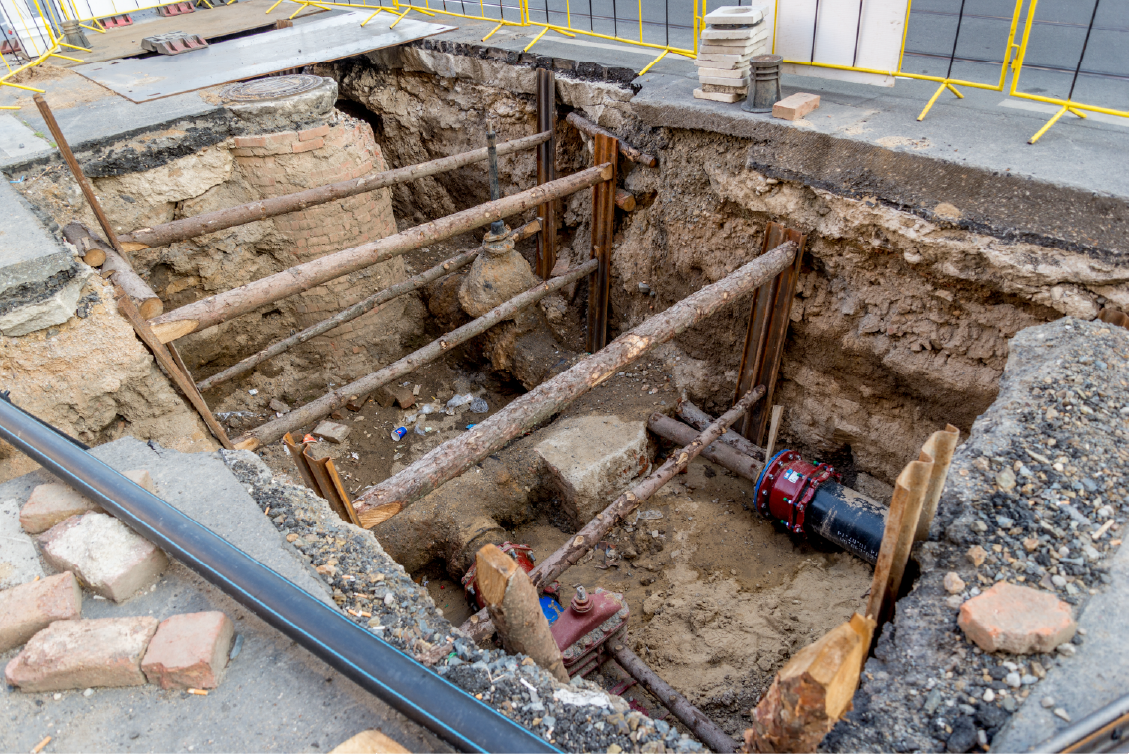
Major infrastructure projects depend on data that’s consistent across field to model to avoid reworks or unaligned project data, from drone capture to BIM integration. Whether it’s roadways, rail, or large-scale civil works, every phase demands traceable documentation, measurable progress, and reliable as-built verification. That’s why leading infrastructure contractors across the U.S. trust Pix4D.
Project tracking
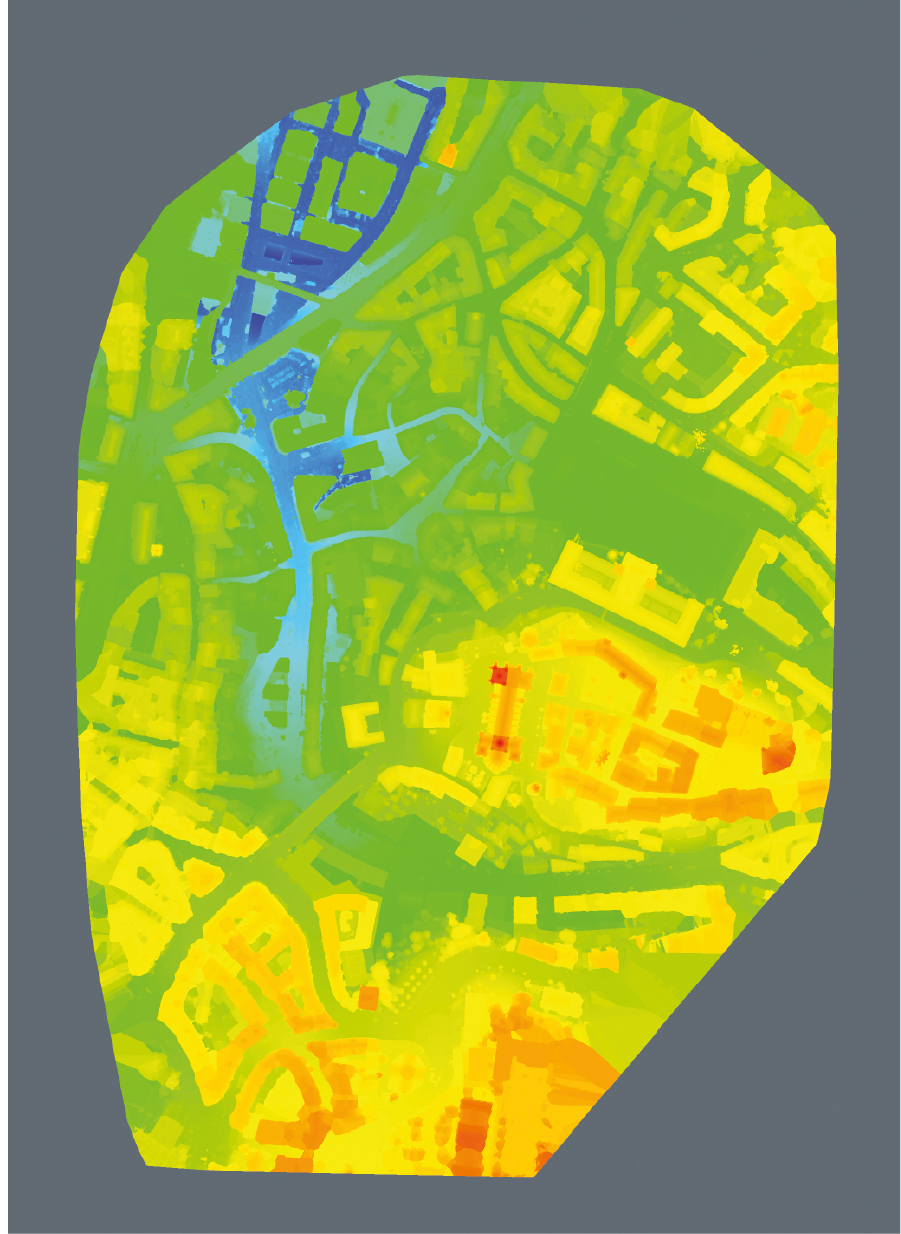
PIX4Dcloud keeps your drone data organized by phase or corridor section, allowing remote visits to the site to track progress from the beginning. It allows side-by-side comparisons of your orthomosaics, DSMs and models over time. Identify deviations, measure progress, and share updates with all stakeholders instantly.
As-built accuracy that aligns with design
Overlay CAD or IFC files directly on your processed outputs to validate field conditions against design intent. Detect discrepancies early, prevent rework, and maintain audit-ready project records.
BIM ready deliverables
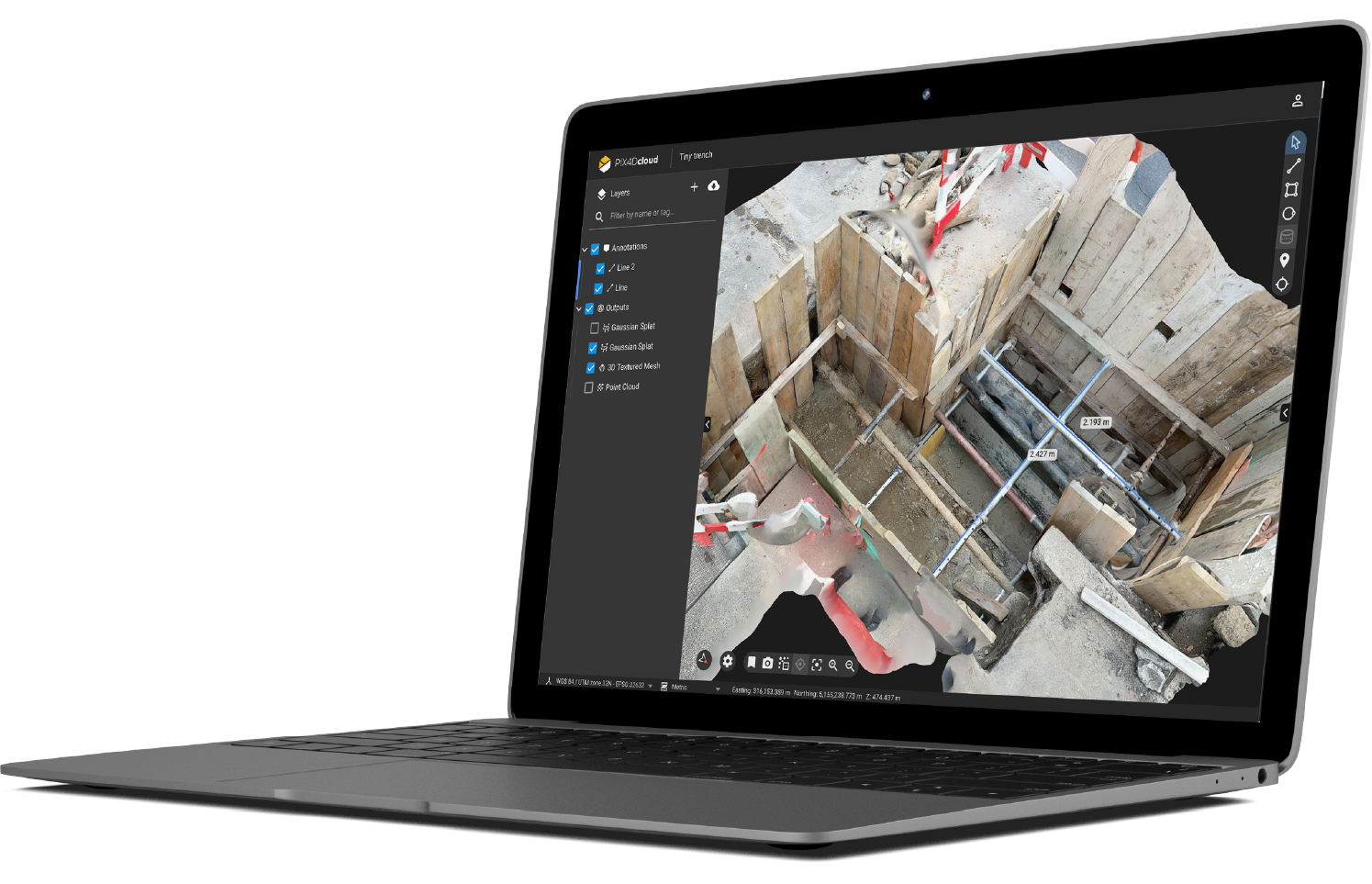
Drone data is processed in PIX4Dcloud, compare against IFC files or design plans in 3D, and annotated by your field or QA teams. Once verified, export DXF or LandXML files straight into your BIM platform to close the loop between field and office. It’s the easiest way to keep large infrastructure projects consistent, traceable, and on schedule.
Built for scale and collaboration
Give everyone access to the data they need with Organization Management in PIX4Dcloud. You can easily assign roles and share data with different stakeholders and collaborators to ensure your infrastructure projects stay aligned and organized.
What Pix4D can bring to your infrastructure projects?
PIX4Dcloud is purpose-built for survey-grade construction documentation, turning drone imagery into accurate, traceable, and compliant records for every stage of an infrastructure project. From highways to bridges and rail corridors, it helps contractors and engineers document progress, verify as-built conditions, and deliver data that stands up to design and compliance checks.
Transform your drone data into insights
Upload drone imagery directly to PIX4Dcloud to generate georeferenced othomosaics, DSMs and 3D models. PIX4Dcloud can process up to 4,000 images delivering high-resolution datasets ideal for complex infrastructure projects.
Design and surface comparison
Overlay design files (DXF, SHP, IFC) directly on your 2D or 3D maps to verify your site against design intent.
Volume and surface measurements
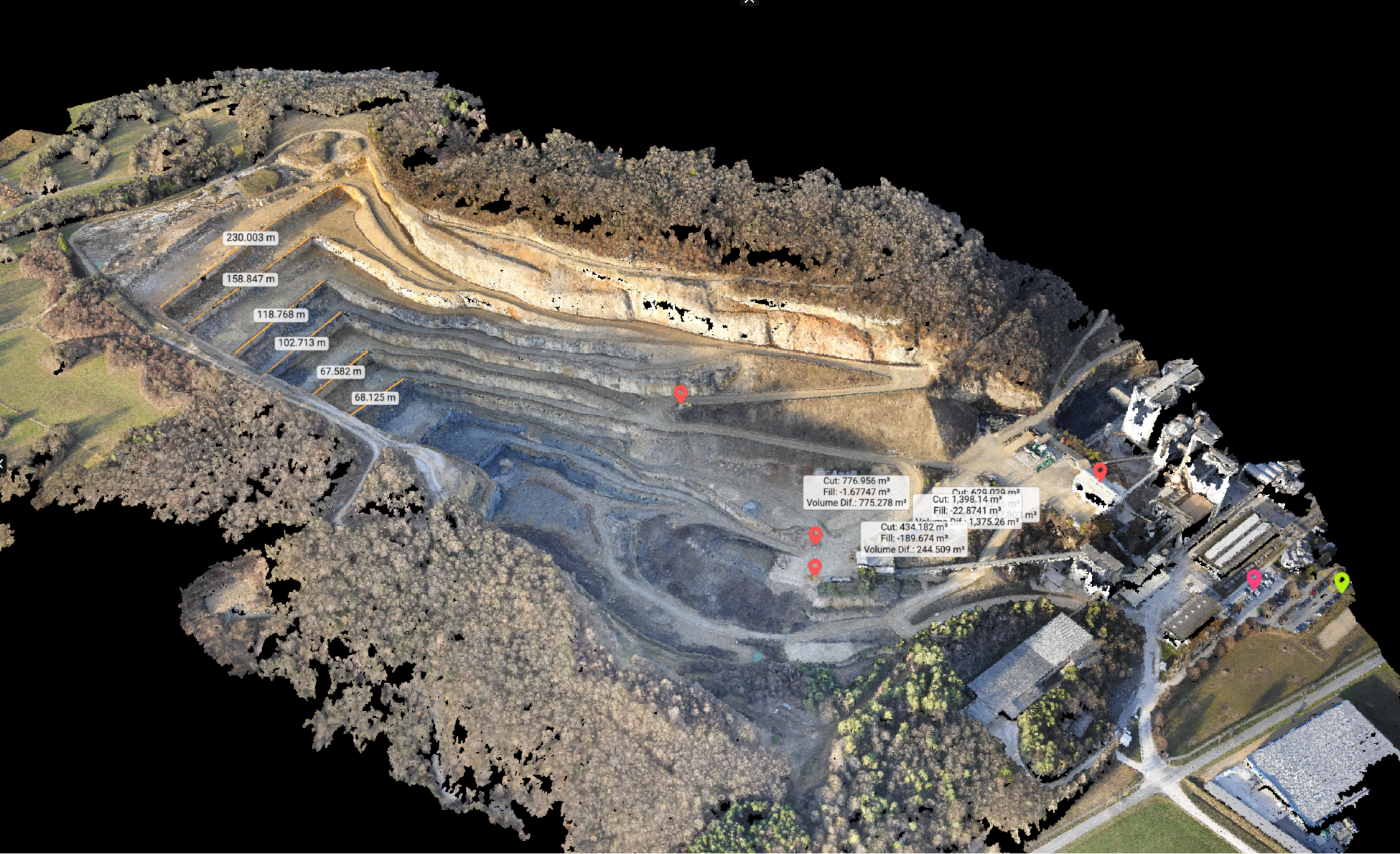
Measure stockpiles, excavations, and cut/fill volumes directly in the browser to support QA/QC and reporting workflows.
Visual inspection and annotations
Pin notes, photos, and documents to specific areas of your 3D model to support issue tracking and coordination across teams.
A workflow built for civil & infrastructure projects
Capture, document, and deliver large-scale infrastructure projects with accuracy and compliance. Measure cut/ fill volumes and overlay design files for BIM-ready deliverables.
Capture site
data:
Surveyors and drone operators capture corridors, grading zones, and active construction sites. Each flight collects precise georeferenced imagery to document progress, verify earthworks, and record as-built conditions with centimeter-level accuracy.
Process automatically
in the cloud:
Upload imagery directly to PIX4Dcloud and automatically generate orthomosaics, DSMs, and 3D models that meet engineering standards. Data is processed online, aligned to your project coordinate system, and ready for review within minutes.
Validate
and analyze:
Once processed, engineers and project managers can measure cut/fill volumes, overlay design files (DXF, SHP, IFC), and annotate directly in PIX4Dcloud. Every dataset is version-controlled, maintaining a full audit trail for QA/QC and compliance documentation.
Collaborate securely
at scale:
Manage access by project, contractor, or role with PIX4Dcloud’s permission and version control. Keep every deliverable consistent, traceable, and ready for the next step with all outputs available for download and export to your preferred CAD or BIM software.
What is the best choice for your infrastructure projects?
- Cloud-based platform for collaborative site documentation and analysis
- Enables teams to generate, access, and share 2D maps and 3D models online
- Built for multi-user environments with real-time visibility and alignment across stakeholders
- Integrated tools for measurement, annotation, and reporting for full traceability
- Timeline and 2D/3D comparison tools for progress tracking (PIX4Dcloud Advanced)
Enterprise solutions
-
For construction companies with specialized workflows or integration needs
-
Customizable solutions that adapt to your internal systems and operational standards
-
Can be tailored to automate processes and streamline data management
-
Meets the compliance requirements of large-scale infrastructure projects
Share, review, and delivery instantly
PIX4Dcloud turns scans into 3D models you can share with a link - no installs, no delays, just insights.
VERIFY AND MEASURE IN THE SAME 3D CLOUD ENVIRONMENT
In infrastructure projects, verifying design alignment against reality is everything. PIX4Dcloud lets you take direct measurements between IFC design elements, point clouds, and DXF linework all within the same 3D environment. Whether you’re checking pavement elevation, slope deviation, or bridge clearance, measurements stay georeferenced and accurate to survey standards, giving engineers defensible results without switching software.
Get started today!
It only takes a few moments to signup.
Testimonials
“The point clouds generated by PIX4Dcloud can be used to quickly and easily compare the as-designed model to the as-built orthophotos. The drone data and Pix4D combination is an affordable way to monitor site progress against project schedules."
“If your project includes DXF or IFC files in a BIM workflow, Pix4D provides a powerful feature. If you ensure that all your data is georeferenced in the same reference system, it allows you to work, measure, and compare all in one space."
“The collaborative approach of PIX4Dcloud ensures confidence among all parties involved and helps us deliver high-quality results efficiently. In short, PIX4Dcloud is a tool that not only simplifies our day-to-day operations but also elevates the standard for how we present and communicate our projects.”
FAQS
All you need to know about infrastructure features using Pix4D software ecosystem.
-
Can I try Pix4D products for free?
Yes. Most Pix4D products offer a time-limited free trial so you can run your own projects end-to-end before committing:
-
PIX4Dmatic & PIX4Dsurvey – typically 15-day trials, activated from your Pix4D account or each product’s pricing page.
How to get a trial license - PIX4Dmatic -
PIX4Dcloud / PIX4Dcloud Advanced – online trial that lets you upload and process sample or real projects in the browser.
How to get a Trial license - PIX4Dcloud Advanced -
PIX4Dcatch – mobile app with a trial period when you sign in with a Pix4D account and request it from within the App.
Trials are usually one per organization and product. For multi-seat pilots or special cases, your local Pix4D representative or reseller can extend or tailor the evaluation.
-
-
What hardware sources can be integrated?
Pix4D is hardware-agnostic – it works with the equipment many survey teams already use:
-
Drones from major manufacturers (e.g., DJI) with RGB or multispectral cameras; data is imported as standard images.
Supported drones and camaras -
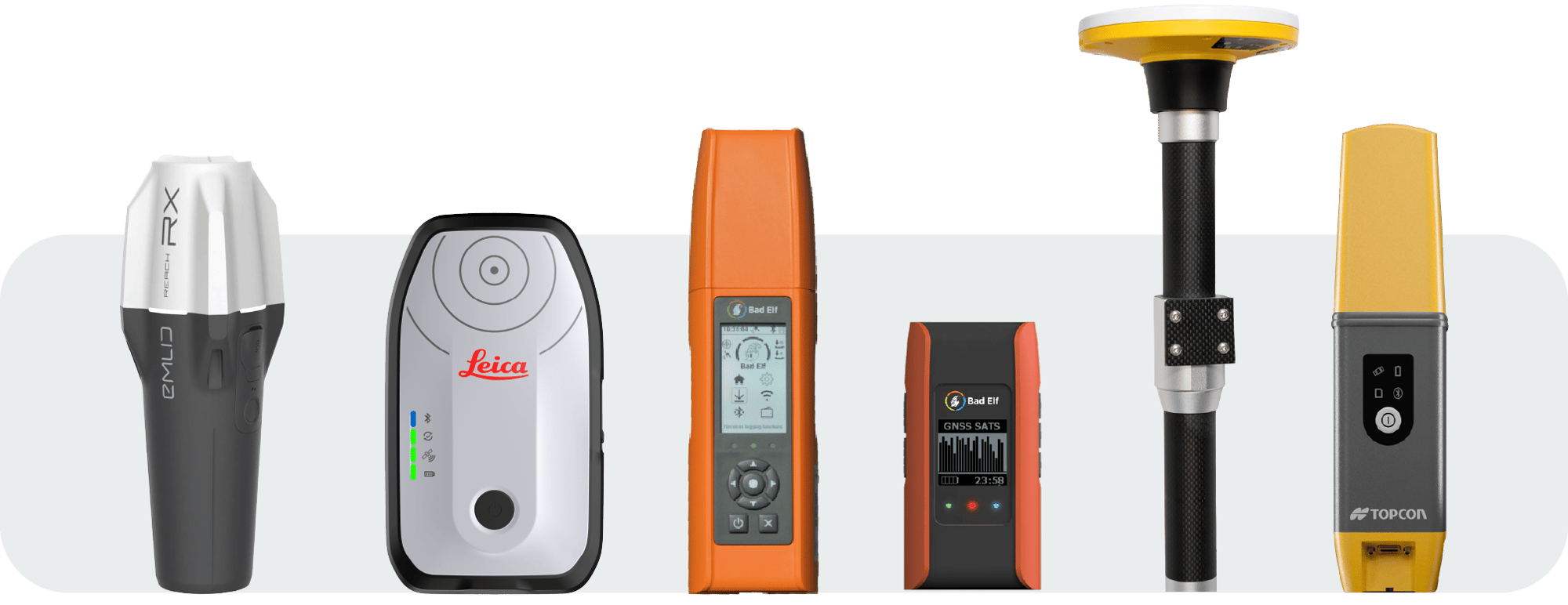
Smartphones with PIX4Dcatch: LiDAR-equipped iOS devices running PIX4Dcatch – ideally iPhone Pro or Pro Max – paired with an RTK rover such as Emlid Reach RX or Leica receivers, turning your phone into a survey-grade terrestrial scanner for georeferenced photogrammetry and LiDAR capture.
-
Terrestrial laser scanners and mobile LiDAR – import LAS/LAZ point clouds into PIX4Dsurvey and combine them with photogrammetry data in a single project.
In practice, if your sensor can export images or LAS/LAZ point clouds, you’re not locked into any single drone or scanner brand.
-
-
Can we automate Pix4D processing or integrate it with our internal systems?
Yes. The same photogrammetry engine that powers PIX4Dmatic and PIX4Dcloud is also available as PIX4Dengine:
-
PIX4Dengine SDK – a Python SDK you can run on your own servers to script processing, QA checks, exports, and much more.
-
PIX4Dengine Cloud API – a REST API running on Pix4D’s cloud (AWS) to trigger projects, check status and pull results from your own apps or workflows.
PIX4D API documentation
IT or GIS teams can use this to connect Pix4D with CDEs, asset systems, ticketing tools, or internal portals so that surveys flow automatically from capture to deliverables.
Docs: https://www.pix4d.com/product/pix4dengine
API docs: https://developer.pix4d.com/cloud-api/index.html -
-
What are my options to buy or try Pix4D software?
You can get Pix4D software in three ways, depending on how you prefer to buy and how complex your project is:
Talk directly to the Pix4D sales team
-
Use the Contact Sales form: Contact us
-
Recommended for:
- Enterprise deployments and multi-seat licensing
- Public tenders or framework agreements
- Special conditions (offline licenses, custom terms, invoicing requirements, etc.)
Buy online via Pix4D e-commerce (fastest option)
- Go to the pricing page: Buy Products
- Select the product (e.g. PIX4Dmatic, PIX4Dsurvey, PIX4Dcloud, etc.), choose your plan (monthly, yearly or longer-term where available) and complete checkout with a credit card or other available payment options.
- This is ideal if you already know which product you need and want an immediate, self-service subscription.
Work with a local Pix4D reseller or partner
- Find an authorized partner near you here: Locate your nearest Pix4D partner
- Partners can:
- Sell licenses in your local currency
- Bundle Pix4D with drones, GNSS/RTK receivers or scanners
- Provide first-level training and on-site advice
- This route is often best if you want hardware + software packages, local support, or need to follow local procurement rules.
-